> ## Documentation Index
> Fetch the complete documentation index at: https://docs.tigyai.com/llms.txt
> Use this file to discover all available pages before exploring further.
# Template Variables
> You can use Template Variables in your prompts for your Agent nodes, or when constructing the payload for the Webhook Node
### Template Rendering
You reference template variables with `{{double_brace}}` syntax. The data comes from [`initial_context`](/core-concepts/context-and-variables#initial_context), including values returned by a [Pre-Call Data Fetch](/voice-agent/pre-call-data-fetch), and from [`gathered_context`](/core-concepts/context-and-variables#gathered_context) in Webhook payloads.
**The syntax depends on where you use it:**
| Where | `initial_context` | `gathered_context` |
| --------------------- | -------------------------------------- | --------------------------------- |
| Agent node prompts | `{{field_name}}` (referenced directly) | Not available |
| Webhook Node payloads | `{{initial_context.field_name}}` | `{{gathered_context.field_name}}` |
#### Agent node prompts
In an Agent node prompt, reference each `initial_context` field **directly by name**. Nested values are supported with dot notation.
Example: if the initial context is
```json theme={null}
{
"initial_context": {
"user": {
"name": "John"
}
}
}
```
write your prompt to access the user's name as below:
Prompt: `You are Alice, who is talking to {{user.name}}.`
Variables extracted during the call (`gathered_context`) are **not** available in Agent prompts — a prompt can only reference `initial_context` fields. To act on extracted data, send it to a [Webhook Node](/voice-agent/webhook).
#### Webhook Node payloads
When constructing a [Webhook Node](/voice-agent/webhook) payload, the context objects are nested under their names, so reference them with the `initial_context.` and `gathered_context.` prefixes:
Payload value: `{{initial_context.user.name}}` or `{{gathered_context.call_disposition}}`
### Using Template Variables for Testing
Template variables defined in your workflow **Settings > Context Variables** are included in test calls (both web and phone) made from the workflow editor. This is useful for simulating data that would normally come from telephony.
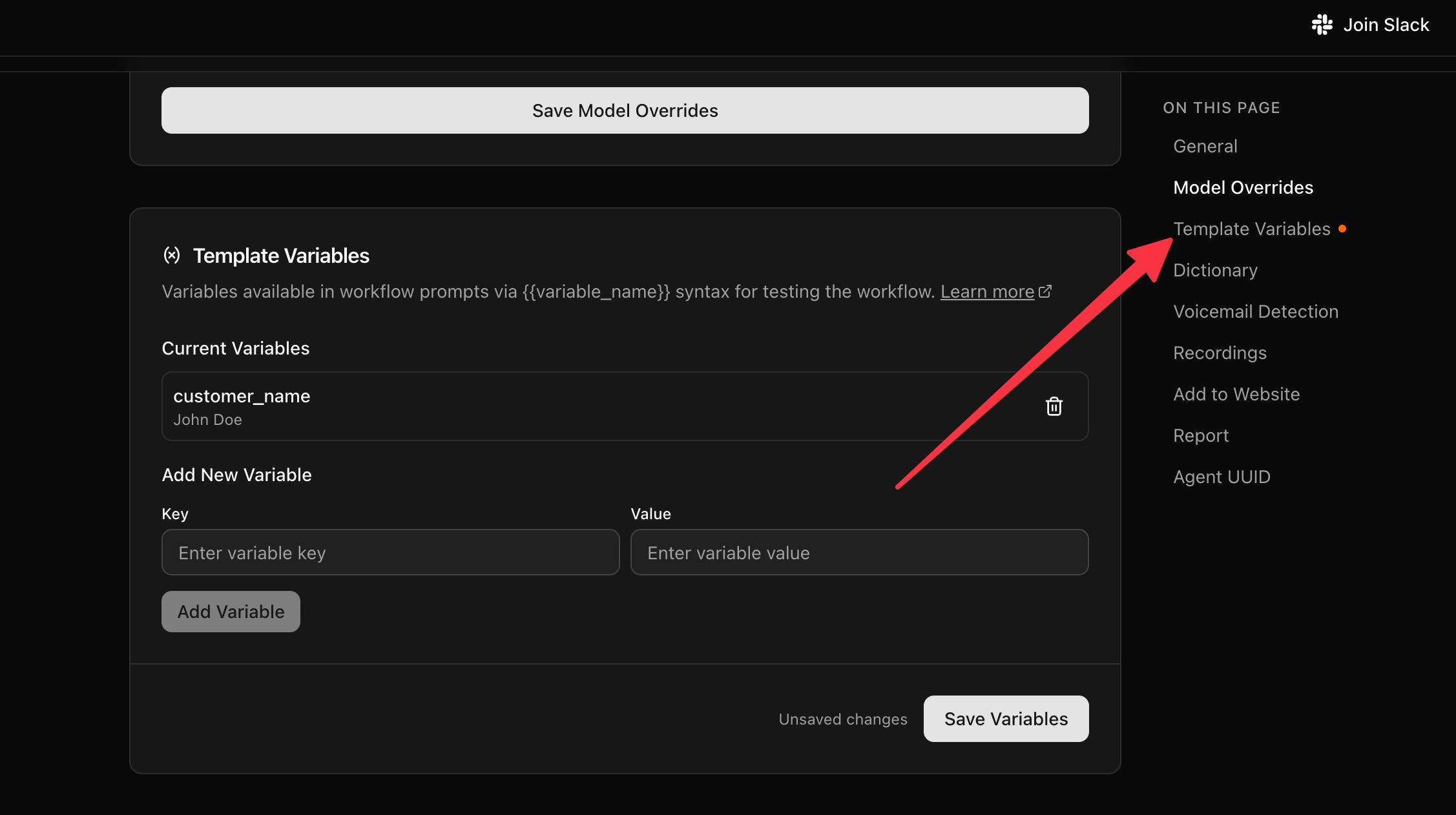 For example, you can set `caller_number` and `called_number` as context variables to test [Pre-Call Data Fetch](/voice-agent/pre-call-data-fetch#testing-with-test-calls) without needing a real inbound call.
Browser voice tests use the same context model as inbound calls.
These context variables are only used during test calls from the workflow editor. On production inbound calls, the actual telephony data is used and these values are ignored.
### Nodes
Tig.ai Voice Agents are composed of various nodes. These nodes provide instructions to the voice agent, configure inbound conversations, and send results to your systems with a [webhook](/voice-agent/webhook). In the next steps, we will document the nodes you can use to build the voice agent.
For example, you can set `caller_number` and `called_number` as context variables to test [Pre-Call Data Fetch](/voice-agent/pre-call-data-fetch#testing-with-test-calls) without needing a real inbound call.
Browser voice tests use the same context model as inbound calls.
These context variables are only used during test calls from the workflow editor. On production inbound calls, the actual telephony data is used and these values are ignored.
### Nodes
Tig.ai Voice Agents are composed of various nodes. These nodes provide instructions to the voice agent, configure inbound conversations, and send results to your systems with a [webhook](/voice-agent/webhook). In the next steps, we will document the nodes you can use to build the voice agent.